Public Address / Voice Alarm / Evacuation (PAVA): Clear Communication When It Matters Most
October 7, 2026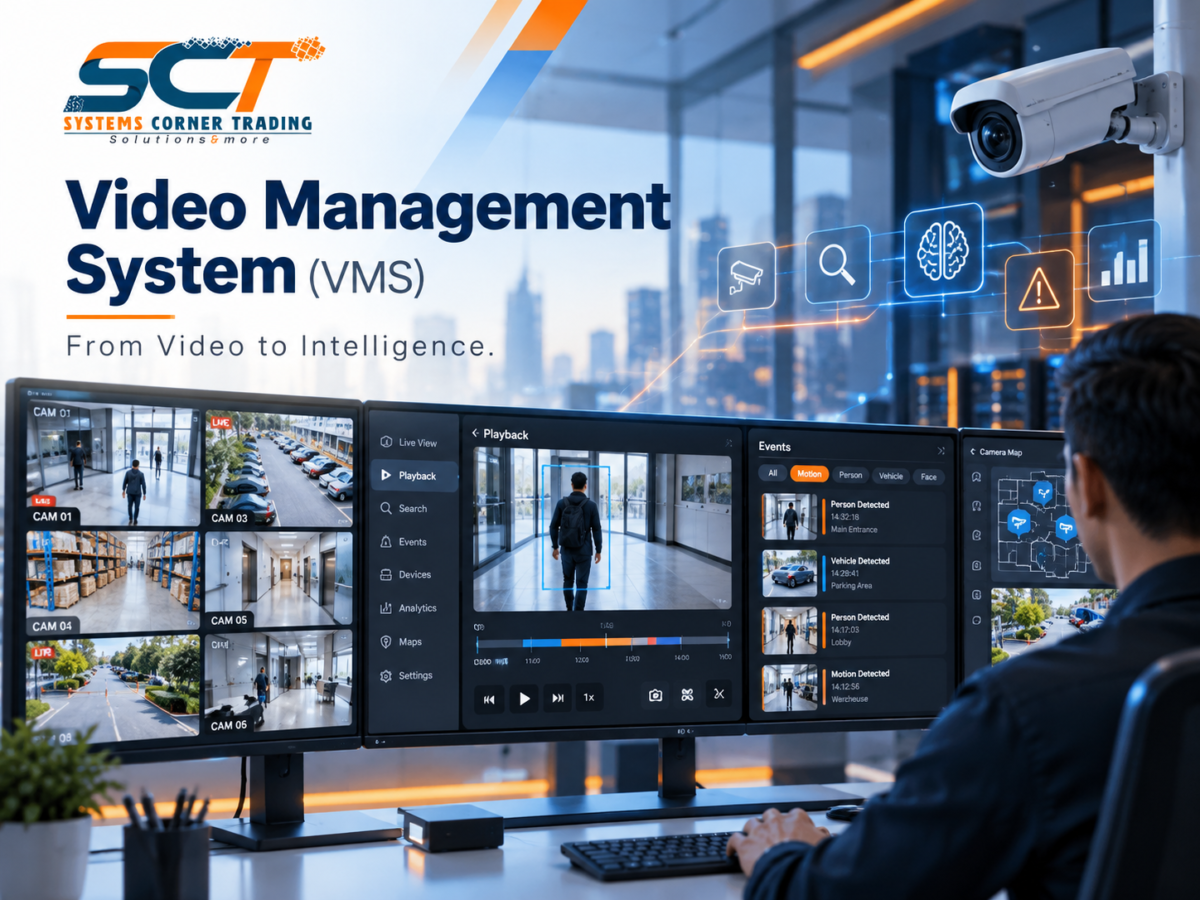
Your cameras are recording.
Your NVR is storing footage.
Your security team can see dozens — sometimes hundreds — of live video streams.
But when an incident happens, one question becomes much more important:
How quickly can you find the video that actually matters?
This is where a Video Management System (VMS) changes the way CCTV systems are operated.
A VMS is not simply a screen showing camera feeds.
It is the software layer that brings cameras, recordings, events, users and security information together into one centralized environment.
Cameras capture the footage.
VMS turns that footage into useful information.
What Is a Video Management System?
A Video Management System (VMS) is a software platform used to monitor, manage, record and retrieve video from surveillance cameras.
Instead of treating every camera as a separate device, the VMS brings the complete surveillance environment into one interface.
Depending on the selected platform and project requirements, a VMS can support:
- Live camera monitoring
- Video recording
- Playback
- Event search
- Camera maps
- Alarm management
- User permissions
- Video analytics
- Remote access
- Integration with other security systems
The objective is simple:
Make video easier to monitor, search and manage.
80 Cameras. One Control Point.
Imagine a facility with:
80 IP Cameras
Without centralized management, operators may need to move between different devices, recorders or interfaces.
With a VMS, those cameras can be organized within one platform.
The security operator can view cameras by:
- Building
- Floor
- Zone
- Department
- Entrance
- Parking area
- Critical location
Instead of remembering camera numbers, the system can organize surveillance around the actual building.
This becomes increasingly important as CCTV systems grow.
Live View Is Only the Beginning
Many people think CCTV software is simply a grid of live camera images.
Live monitoring is important — but it is only one part of a modern VMS.
A security operator may also need to:
Review Recorded Video
Go back to a specific time and investigate what happened.
Search Events
Find footage associated with motion, alarms or other recorded events.
Monitor Multiple Locations
View cameras from different areas through one interface.
Manage Users
Control who can view, playback, export or configure video.
Receive Alerts
Bring important security events to the operator’s attention.
Access Camera Maps
Locate cameras visually within the facility.
The VMS becomes the working environment through which the surveillance system is actually used.
Finding the Moment That Matters
Recording video is easy.
Finding the correct 30 seconds inside thousands of hours of footage is much harder.
Consider an incident that happened sometime between:
2:00 PM and 4:00 PM
across several cameras.
Without effective search tools, an operator may spend a significant amount of time reviewing footage manually.
A well-designed VMS can make investigation more structured by providing tools such as:
- Timeline navigation
- Event filtering
- Camera grouping
- Bookmarks
- Recorded alarm events
- Motion-based search
- Metadata search
- Analytics-based search
Available functions depend on the selected platform and licenses.
But the objective remains the same:
Spend less time searching and more time understanding what happened.
From Video to Events
Modern surveillance is moving beyond continuous video monitoring.
A camera can generate video.
But intelligent systems can also generate events.
For example:
Person Detected
Vehicle Detected
Motion in Restricted Area
Camera Tampering
Line Crossing
Unauthorized Access Event
Instead of expecting an operator to watch every camera continuously, the VMS can help bring important events to their attention.
This shifts CCTV from:
Watching Everything
to:
Focusing on What Requires Attention.
VMS + Video Analytics
Depending on the cameras, VMS platform and licenses selected, video analytics can add another level of intelligence to the surveillance system.
Possible analytics may include:
- People detection
- Vehicle detection
- Object classification
- Line crossing
- Intrusion detection
- Loitering detection
- License Plate Recognition
- Object search
- Occupancy information
Analytics do not replace security operators.
They help operators deal with large amounts of video more efficiently.
The camera sees.
Analytics detect.
The VMS brings the information together.
VMS + Access Control
One of the most useful security integrations is between Video Management and Access Control.
Imagine this event:
10:15:32 AM
A card is presented at a restricted door.
The Access Control System records:
Credential Used → Door Opened
At the same time, the VMS can associate the event with the camera monitoring that entrance.
Instead of separately searching the access log and then manually locating the correct camera footage, the operator can investigate the event with video context.
The workflow becomes:
Access Event
↓
Associated Camera
↓
Video Verification
↓
Security Decision
This can make incident investigation faster and clearer.
VMS + Intrusion Detection
The same principle can apply to intrusion systems.
For example:
Door Contact Alarm
↓
Intrusion Alert
↓
Associated Camera Displayed
↓
Operator Verifies the Situation
Rather than receiving an alarm without visual context, the security team can use CCTV to understand what is happening.
Alarm tells you something happened.
Video helps you see what happened.
VMS + Maps
In a large facility, knowing that Camera 47 has generated an alarm may not immediately help an operator.
Where is Camera 47?
Which entrance does it monitor?
What cameras are nearby?
A graphical map can make the surveillance environment easier to understand.
Operators may be able to navigate:
Site → Building → Floor → Area → Camera
This becomes particularly useful in:
- Hospitals
- Hotels
- Universities
- Warehouses
- Industrial facilities
- Commercial buildings
- Multi-building campuses
The larger the facility becomes, the more important organized camera management becomes.
One System. Multiple Users.
Not every user should have the same level of access.
A professional VMS can support different user roles.
For example:
Security Operator
Live View + Playback
Security Supervisor
Live View + Playback + Export + Incident Management
Administrator
Configuration + Devices + Users + System Management
Management
Selected Cameras or Reports
Remote Branch User
Access only to assigned locations
This helps organizations maintain better control over who can access surveillance information.
Scalability Matters
Today, the facility may have:
32 Cameras
Next year:
60 Cameras
Later:
150 Cameras across several buildings
A VMS should therefore be selected not only for today’s camera count, but also for the expected future architecture.
Important considerations include:
- Number of cameras
- Number of sites
- Recording requirements
- Server capacity
- Network bandwidth
- Storage architecture
- Number of operators
- Remote viewing
- Analytics requirements
- Integration requirements
- Future expansion
A surveillance platform should be able to grow with the facility.
VMS Is Not the Same as an NVR
This is an important distinction.
An NVR — Network Video Recorder primarily receives and records IP camera video.
A VMS — Video Management System focuses on the wider management of the surveillance environment.
Depending on the system architecture, the VMS may work with recording servers, dedicated appliances or supported NVRs.
Think of it this way:
Cameras Capture
Recording System Stores
VMS Manages
In smaller projects, many of these functions may exist inside one appliance.
In larger systems, they can become separate parts of a much bigger architecture.
A Typical VMS Architecture
A simplified surveillance architecture can look like this:
IP Cameras
↓
Network Infrastructure
↓
Recording Servers / NVR
↓
Video Storage
↓
Video Management System
↓
Operator Workstations / Video Wall / Remote Clients
Events from other security systems may also connect to the VMS.
For example:
Access Control → VMS
Intrusion Detection → VMS
Video Analytics → VMS
This creates a more unified security environment.
What Should Be Considered When Selecting a VMS?
Before selecting a platform, organizations should ask:
How many cameras are required?
How long must video be retained?
How many operators will use the system?
Will multiple buildings be monitored?
Is remote access required?
Which analytics are needed?
Will the VMS integrate with Access Control?
Will Intrusion Detection be integrated?
Is a video wall required?
How much future expansion is expected?
What level of redundancy is required?
The best VMS is not simply the platform with the longest feature list.
It is the one that matches the project’s operational requirements.
From Recording Video to Managing Security
The value of CCTV is not measured only by the number of installed cameras.
It is measured by how effectively security teams can use the video those cameras generate.
A well-designed VMS helps transform:
Cameras
into
Organized Video
Recorded Footage
into
Searchable Events
Security Alarms
into
Visual Context
and
Hundreds of Video Streams
into
One Manageable Security Environment.
Final Thought
A camera can record thousands of hours of video.
But when something happens, nobody wants thousands of hours.
They want:
The right camera.
The right event.
The right moment.
That is where a Video Management System becomes essential.
Cameras capture the footage.
VMS helps security teams understand the story.
From Video to Intelligence.
At Systems Corner Trading (SCT), we provide integrated CCTV and Video Management solutions designed around the operational requirements of modern facilities.
Our solutions can support:
✔ Centralized Video Monitoring
✔ Live View & Playback
✔ Event Search
✔ Alarm Management
✔ Video Analytics
✔ Camera Mapping
✔ Recording & Storage Integration
✔ Access Control Integration
✔ Intrusion System Integration
✔ Multi-Site Monitoring
✔ User & Permission Management
✔ Scalable Security Architecture
From a single building to multi-site surveillance environments, our goal is to make security video easier to monitor, investigate and manage.
See More. Find Faster. Respond Smarter.
Systems Corner Trading (SCT)
Solutions & More
📞 +966 11 269 4437
📱 +966 51 146 4924
📧 info@systems-corner.com
🌐 www.systems-corner.com